
How to Install & Use the Jenny Mod: The Complete Minecraft Setup
You found the mod. Maybe you watched a video, read a few comments, or a friend told you about it. Now you want to actually play it, and you are not sure where to begin. That is the problem most players face. Getting the files is one thing. Knowing what to do after that is a completely different story.
This guide covers everything after downloading Jenny Mod Minecraft. How to get Jenny mod working in your world, how each character behaves, what items you need, which commands exist, and how to fix it when something breaks. Whether you are on Java, Bedrock, or MCPE, the steps are here.
What You Actually Do in Jenny Mod
Most guides skip this part. They jump straight into installation steps without explaining what the mod actually does once it is running.
Jenny Mod adds companion characters to Minecraft. Not the kind that just stand around waiting to trade. These characters follow you, respond to what you give them, and change their behavior based on how you treat them over time. The trust system tracks your gifting history and unlocks new dialogue and reactions the longer you play.
What changes in your world:
- You get 11 unique characters to find and interact with
- Each one has different abilities, preferred gifts, and spawn locations
- A trust system runs in the background, tracking your relationship with each character
- Characters use follow, stay, guard, and wander commands
- Dialogue shifts based on trust level, time of day, and recent interactions
What stays the same:
- All vanilla Minecraft biomes, crafting, and survival mechanics
- Existing mobs and world generation
- Nothing is removed or replaced from the base game
The mod sits on top of Minecraft. It adds depth to solo play without touching what was already there.
Before you dive into the gameplay, check out our guide on all the Jenny Mod characters to see which NPCs you will be interacting with once the mod is installed.
Jenny Mod: How to use: Java Edition (PC)
Java Edition is where the mod runs at full capacity. All 11 characters, complete dialogue trees, full animations, and the highest level of customization. This is the version the mod was originally built around.
Before you begin, confirm you have:
- Minecraft Java Edition is installed
- At least 4 GB RAM available (8 GB recommended)
- Forge 1.12.2 is installed as your mod loader
- The Jenny Mod .jar file is saved to your computer
Steps to get Jenny Mod running on Java:
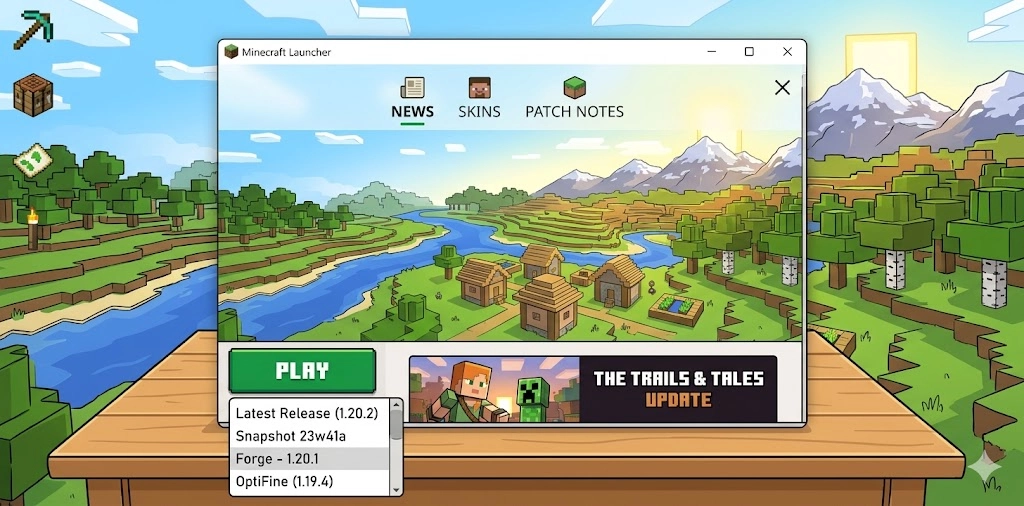
- Open Minecraft Launcher and select the Forge profile from the profile dropdown (bottom-left corner)
- Click Play and let the game load fully at least once, so Forge creates the mods folder
- Press Windows Key + R, type %appdata%\.minecraft\mods and press Enter
- Drag your Jenny Mod .jar file into that mods folder
- Go back to the launcher, select the Forge profile again, and click Play
- Once in-game, create a new world or open an existing one in Creative Mode
- Open your inventory and search “Jenny” in the search bar
- Place the spawn egg that appears in your world to meet the first character
If the spawn egg does not show up, you launched vanilla Minecraft instead of the Forge profile. Close the game, go back to the launcher, and check the profile selector before clicking Play.
How to Use Jenny Mod on Bedrock
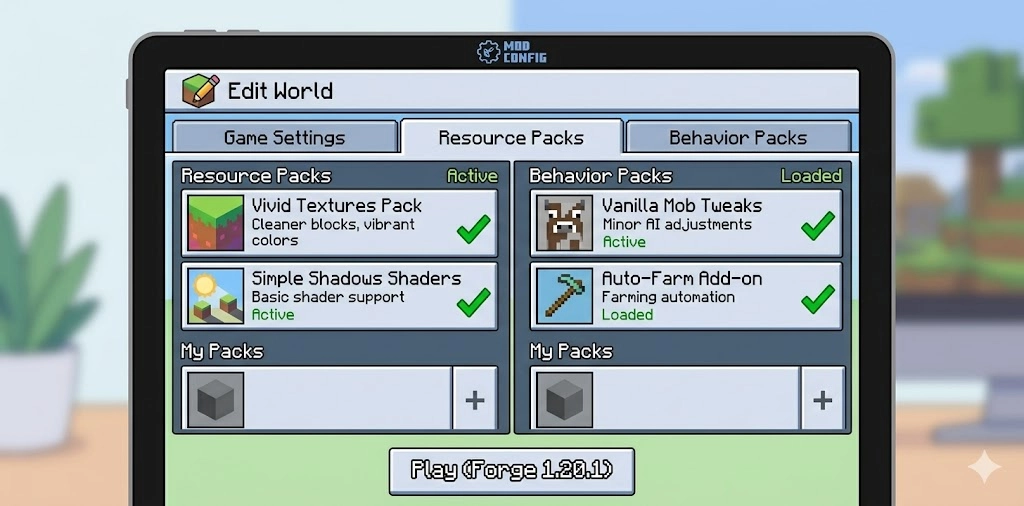
Bedrock works differently from Java. Instead of one file, you work with three separate packs. They each handle a different part of the mod, and the order you activate them matters.
Files you need:
- Jenny Addon Bedrock (.mcpack) handles AI behavior and commands
- Jenny Texture Bedrock (.mcpack) handles character models and visuals
- jenny-dweller.MCaddon connects both packs and makes the characters work in your world
How to use Jenny Mod on Bedrock:
- Import the first .mcpack file by tapping or double-clicking it. Wait for the “Import Successful” message
- Import the second .mcpack file the same way. Wait for confirmation before moving on
- Import the jenny-dweller.mcaddon file last
- Open Minecraft and go to Play, then Create New World (or edit an existing one)
- Under Resource Packs, activate Jenny Texture Bedrock
- Under Behavior Packs, activate Jenny Addon Bedrock and jenny-dweller.mcaddon
- Scroll down and turn on Experimental Features. The mod will not run without this step
- Enter the world, open Creative inventory, search “Jenny,” and place a spawn egg
Missing any one of the three files causes broken animations, missing characters, or dialogue that does not load. All three packs need to match the same Minecraft version, too. Mixing versions from different builds breaks things in ways that are hard to diagnose.
How to Use Jenny Mod on Mobile (MCPE)
The Jenny mod on mobile experience covers both Android and iOS. The process is slightly different per device, but once the packs are active, the gameplay feels the same on both.
For Android:
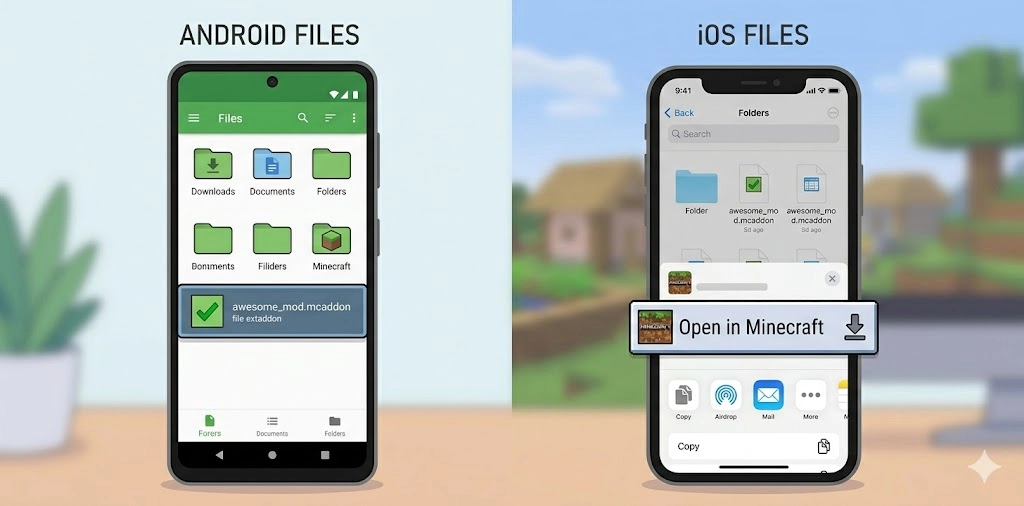
- Download the .mcaddon file and open your file manager
- Tap the file and select “Open with Minecraft” when prompted
- Wait for the import confirmation screen inside Minecraft
- Go to world settings, activate both the Behavior Pack and Resource Pack
- Turn on Experimental Gameplay
- Load in Creative Mode and use the Jenny spawn egg
For iOS:
- Download the .mcaddon file. It saves to the Files app automatically
- Open Files, find the file in Downloads, tap and hold it
- Tap Share, then select “Open in Minecraft.”
- After the import completes, go to world settings and activate both packs
- Turn on Experimental Gameplay, then load your world
Things that go wrong on mobile and why:
Problem | Why It Happens | Fix |
Spawn egg missing after import | Both packs not activated | Go to world settings and activate Resource Pack and Behavior Pack separately |
“Open in Minecraft” not showing on iOS | Minecraft needs updating | Update Minecraft from the App Store, then retry |
Import starts but freezes | Low device storage | Free up at least 1 GB before importing |
Characters load, but animations glitch | Experimental Features off | Go back to world settings and toggle Experimental Gameplay on |
The file won’t open on Android | Wrong file manager app | Use a basic file manager that shows all file types |
You need Minecraft PE version 1.20.0 or later. Anything older is not compatible with the 2026 build. See the full Jenny Mod Minecraft guide for download details if you still need the file.
To ensure you are downloading a safe and verified version of the mod, we recommend following the official links to Jenny Mod CurseForge for a secure setup.
How to Interact With Jenny: Items, Trust, and Commands
This is the actual gameplay loop. Finding a character is step one. What you do next determines what you get out of the mod.
Items that trigger interactions:
Item | Trust Impact | What Happens |
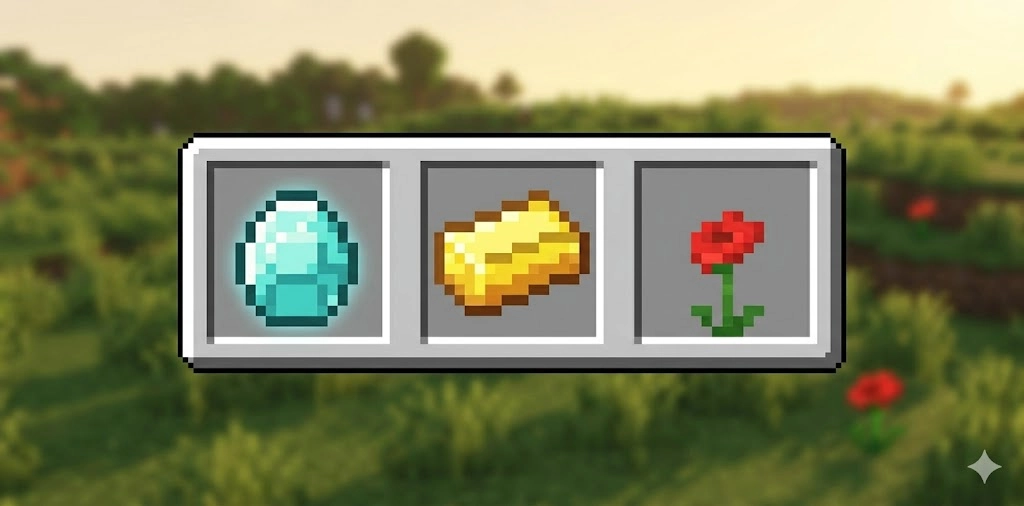
Diamond | High | Unlocks deeper dialogue and reactions |
Gold Ingot | Medium | Standard interaction raises trust steadily |
Emerald | Medium | Used for trades and unlocking time/tasks |
Flower | Low/Starter | Starts a simple conversation. Useful for first contact |
Hold the item in your hand and right-click on the character (Java) or tap the interact button while holding the item (Bedrock/MCPE). Approaching without the item in your hand does nothing.
Trust system basics:
- Trust builds over multiple sessions. It does not reset when you close the game
- Each character has different preferred items. Diamonds work on all of them
- Higher trust unlocks dialogue lines and animations you will not see at low trust
- Giving the same item repeatedly at high frequency changes how the character responds. They notice patterns
Jenny Mod commands you can use:
- /follow gets the character walking behind you through any biome or dungeon
- /stay holds the character in one place, useful when building or mining
- /guard puts the character in defense mode around your base
- /wander lets the character explore nearby areas on their own
For the full command list with advanced options, see the Jenny mod commands page.
Jenny Mod All Characters: Full 2026 List
The 2026 build has 11 characters total. Most need a spawn egg. A few have unlock conditions that take actual effort.
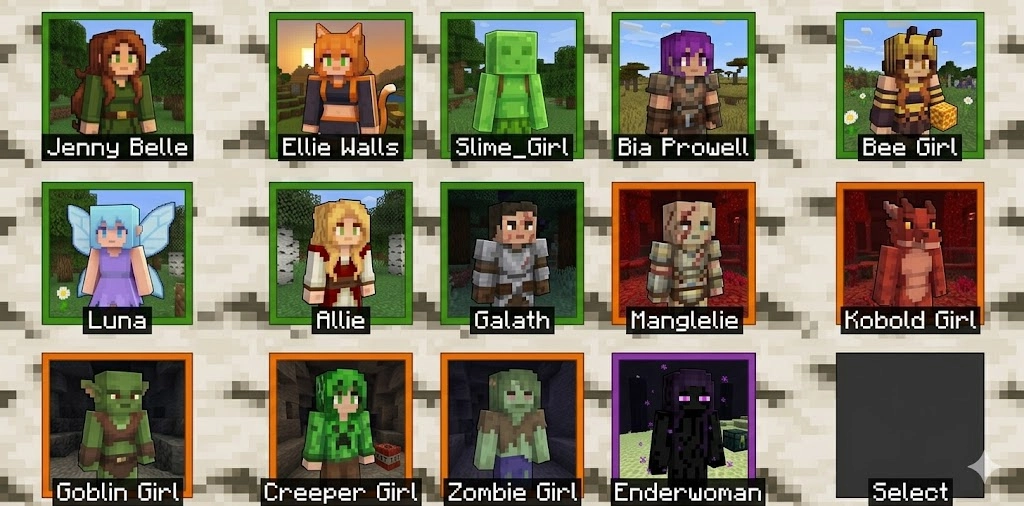
Overworld characters:
Character | How to Find | Main Ability |
Jenny Belle | Spawn egg or custom house in the Plains biome | Self-healing, Enderman-style teleportation, and combat |
Ellie Walls | Dark forest/woodland or spawn egg | Resource gathering heals the player |
Bee | Normal woodland or spawn egg | Carries loot when given a chest. Low-maintenance companion |
Bia Prowell | Birch forest or spawn egg | Follows closely, alerts you to nearby danger |
Luna | Ocean biome or floating ship structure | Fish and trade rare marine items |
Allie | Desert temple or dungeon (requires finding a lamp item first) | Grants wishes and gives rare loot |
Allie is the hardest to unlock. You search desert temples and dungeons until the lamp item appears, then interact with it. Most players find her by accident after spending serious time in the mod.
Nether and special characters:
Character | Location | What Makes Them Different |
Galath | Nether biomes | Starts as an enemy. Defeat her, and she becomes a loyal, powerful ally. Carries the player through lava |
Manglelie | Nether (hidden until Galath is found) | Galath’s daughter. Finding her after unlocking Galath increases Galath’s power |
Slime Girl | Any biome (spawn egg) | Splits into smaller forms during combat. Translucent green model |
Kobolds | Caves and underground | Travel in groups looking for the Ender Dragon. Will steal gold if provoked |
Goblin | Caves and underground tunnels | Sneaky cave dwellers who can be befriended or traded with |
Galath and Manglelie have a connected storyline. Finding Manglelie after Galath adds a layer that most players miss entirely on their first playthrough.
For spawn conditions and unlock steps per character, check the Jenny mod characters page. See the full Jenny Mod Gameplay guide for session-by-session tips on how each character behaves in long playthroughs.
The animation system is one of the first things players notice. Vanilla Minecraft NPCs barely move. Jenny Mod’s characters have full animation sets that react to what you do.
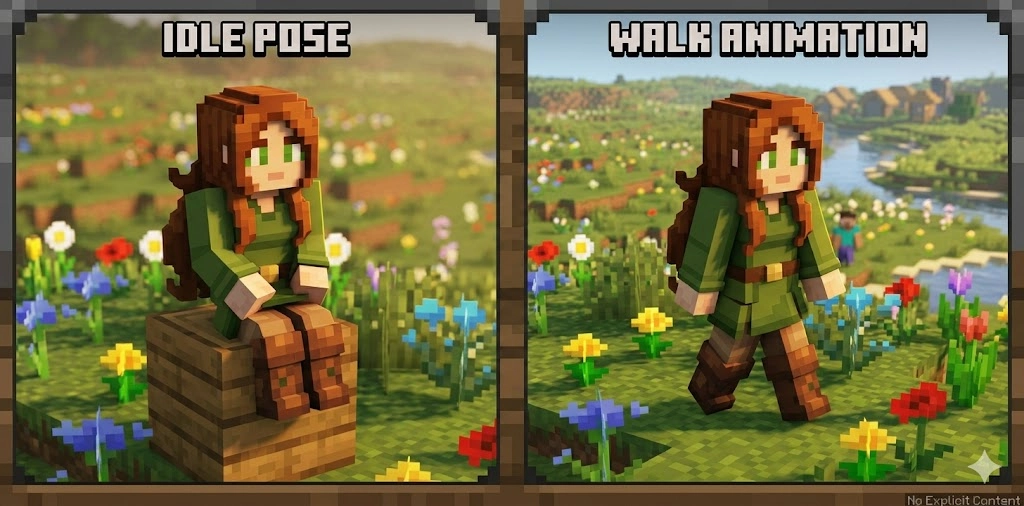
Animation types and their triggers:
Animation | What Triggers It |
Idle (sitting, looking around) | Character left in Stay mode or standing nearby |
Follow walk | /follow command activated |
Weather reaction | Rain or storm in the current biome |
Gift reaction | Handing over a Diamond, Emerald, or Flower |
Trust milestone | Reaching a new trust level for the first time |
Combat assist | Hostile mob approaching nearby (Galath, Slime Girl, Bee) |
Emote | Unlocked at specific trust thresholds, different per character |
Java vs Bedrock animation difference:
Java runs every animation at full quality. Bedrock runs a partial set to stay stable across different hardware. Mobile has the most limited set because of device constraints. Basic idle and follow animations run on low-end phones, but the full emote set requires stronger hardware.
If animations are not playing at all, check RAM allocation first. The mod needs at least 4 GB dedicated to Minecraft to run the full animation system without stutter. See Jenny Mod animations and GIFs for visual previews of each character’s animation set.
Jenny Mod Skins and Models: Customization in 2026
Every character ships with a default model. How much you can change from there depends on which version you are running. You can swap Jenny’s skin using custom resource packs. Models are custom-rigged, not based on vanilla NPC skeletons
For visual references before making changes, see the Jenny mod models and skins and Jenny mod images pages.
Common Problems and How to Fix Them
Most issues trace back to three things: wrong Minecraft version, wrong launch profile, or missing Experimental Features. Here is the full fix table.
Problem | Most Likely Cause | Fix |
Jenny is not spawning in the world | Spawn egg not showing | Check the mod loaded by looking for the Jenny egg in Creative inventory |
Game crashes on launch | Forge and Minecraft version mismatch | Reinstall Forge, matching your exact Minecraft version |
Animations not playing | Low RAM or a corrupt .jar file | Allocate 4 GB RAM in the launcher. Redownload .jar if needed |
Black screen after launch | Wrong launcher profile selected | Close game, go back to launcher, select Forge profile |
Dialogue not triggering | Missing Jenny-dweller.mcaddon (Bedrock) | Reimport the .mcaddon file and reactivate packs |
Pack not showing in the world settings | Import not completed fully | Close Minecraft, reopen, and recheck Settings for the pack |
Characters load but do not move | Experimental Features is off | Go to world settings and switch on Experimental Gameplay |
Permission denied error | OS security restriction | Run Minecraft as administrator on Windows |
How to allocate more RAM for Java:
- Open Minecraft Launcher
- Go to the Installations tab
- Find your Forge profile and click the three dots, then Edit
- Click More Options
- Find the line starting with -Xmx2G and change 2G to 4G
- Save and relaunch
This one fix resolves most lag and animation stutter issues on mid-range PCs.
How to Find Jenny in the Game
You installed everything correctly. Now you need to actually find the characters. This part confuses a lot of players, especially on Java Edition, where Jenny does not just appear in your inventory automatically.
Jenny Belle does not wander through biomes like a mob would. She has a custom house that spawns in the world. The house is tall, unique, and looks nothing like a vanilla village structure. You spot it from a distance in flat biomes. Natural spawning is less reliable on Bedrock. Most players use the spawn egg method:
For detailed spawn locations of every character, check the ” How to find Jenny in the Jenny mod” page.
How to Use Ellie in Jenny Mod
Ellie Walls is the second main character and one of the most useful in Survival Mode. She is not Jenny Belle. They have completely different spawn locations, behaviors, and abilities.
Where Ellie spawns:
- Java Edition: Dark forest and woodland biome areas
- Bedrock/MCPE: Spawn egg in Creative inventory (search “Ellie”)
How to interact with Ellie:
Same item mechanic as Jenny. Hold a Diamond, Gold Ingot, or Emerald and use the interact button. Her trust system runs independently from Jenny’s. You can have both active in the same world, and their trust levels do not affect each other.
What makes Ellie different:
- She gathers nearby resources during mining sessions. Jenny does not do this
- She heals the player when health drops. This is unique to her character
- Her follow behavior is closer and more reactive than Jenny’s in woodland environments
- Players describe her as easier to build a survival relationship with because of the healing mechanic
Frequently Asked Questions
How do you use Jenny Mod on Bedrock?
Download all three pack files. Import each one through Minecraft, activate them under Resource Packs and Behavior Packs in your world settings, and turn on Experimental Features.
How do you use the Jenny Mod on mobile?
On Android, tap the .mcaddon file and choose “Open with Minecraft.” Activate both packs in world settings and turn on Experimental Gameplay before entering your world.
How do you use Ellie in Jenny Mod?
Hold a Diamond or Gold Ingot and interact with her to raise trust. She gathers resources and heals the player at low health, which makes her the most useful character in Survival Mode.
Why is Jenny Mod only stable on version 1.12.2?
The original mod was built using older Forge code. That base remains the most stable for Java Edition. Forge is still the most reliable option if you want maximum stability.
Why is Jenny not spawning in my world?
On Java, check that you launched Minecraft using the Forge profile and that the .jar file is inside the mods folder. On Bedrock, confirm all three packs are active, and Experimental Features is turned on.
Can Jenny Mod run on a Minecraft server?
Yes, on private modded servers running Forge 1.12.2. Every player connected must have the exact same version of the mod installed.
What items does Jenny respond to?
Diamonds unlock the deepest interactions and raise trust fastest. Gold Ingots and Emeralds work for standard interactions and trades.
Is Jenny Mod safe to download in 2026?
The mod itself is safe. The risk comes from unofficial mirror sites that host modified or corrupted files. Download only from our site that explicitly hosts the original build.