
Jenny Mod Commands: Full List for Java, Bedrock & MCPE (2026)
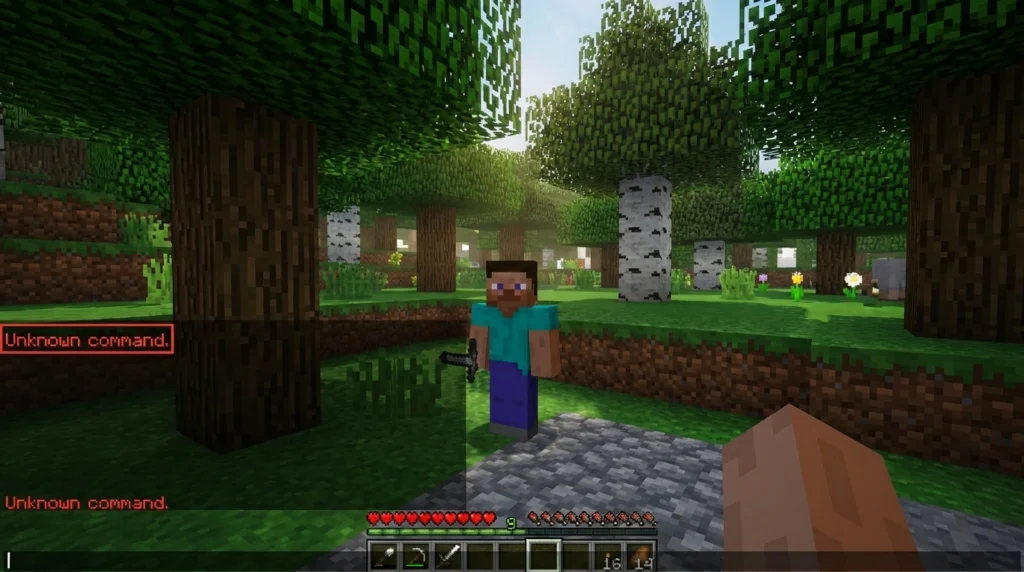
You downloaded Jenny Mod, dropped the .jar in the mods folder, launched Minecraft, and Jenny just wanders off doing nothing. You type a command and get “Unknown command.” That is exactly why people search for this. The commands are not optional extras. They are the control system. Without them, the mod barely works.
This guide covers every working Jenny mod command for Java Edition and MCPE, explains what each one does, and tells you why things break when they do. Start your journey and discover the latest updates by visiting the main Jenny Mod Minecrafts Home.
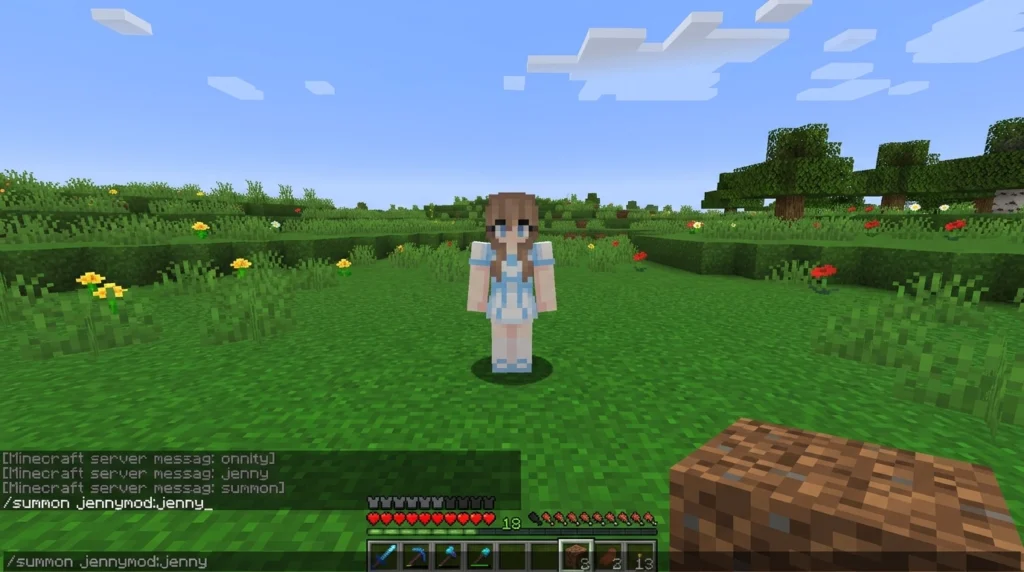
What Are Jenny Mod Commands?
Jenny Mod commands are text codes you enter in the Minecraft chat window. They control everything from spawning characters to triggering animations and adjusting behavior.
Two types of commands work in this mod:
- Vanilla Minecraft commands like /summon, /tp, and /give: these work in the base game but need the right Jenny-specific entity names to function with the mod
- Jenny-specific commands like /jenny follow and /jenny stay: these only exist because the mod adds them, and they only work if the mod is correctly installed
The key thing most guides miss: Jenny Mod commands use a custom namespace. You cannot type /summon Jenny. You have to type /summon jennymod:jenny. That one difference is why thousands of players think their install is broken when it is actually fine.
If you are just getting started with Jenny Mod Minecraft, getting the command syntax right is the first thing to sort out.
Learn about the different NPCs and their behaviors in our guide to Jenny Mod Characters.
Jenny Mod Command Quick Reference Table
Command | What It Does | Java | MCPE | Notes |
/summon jennymod:jenny | Spawn Jenny | Yes | Partial | Requires a behavior pack on MCPE |
/summon jennymod:ellie | Spawn Ellie | Yes | Partial | Same as above |
/jenny follow | Jenny follows the player | Yes | No | Forge only |
/jenny stay | Jenny holds a position | Yes | No | Forge only |
/jenny come | Teleport Jenny to the player | Yes | No | Fixes pathfinding stuck |
/jenny sleep | Sleep animation | Yes | No | Forge only |
/jenny dance | Dance animation | Yes | No | Cooldown between uses |
/locate jennymod:jenny_house | Find Jenny’s house coordinates | Yes | No | Java only |
/tp <x> <y> <z> | Teleport to coordinates | Yes | Yes | Vanilla command |
/jenny gift <item> | Give the item to Jenny | Yes | No | Raises happiness stat |
/jenny info | View Jenny’s stats | Yes | No | Forge only |
/jenny mood <state> | Set behavior mode | Yes | No | Options: happy, explore, idle |
/jenny help | In-game command list | Yes | No | Shows all available commands |
/jenny reset | Reset Jenny’s state | Yes | No | Use only for persistent bugs |
Ensure you have the right dependencies installed by checking out the Jenny Mod CurseForge page.
Setup Checklist Before You Use Any Command
Commands will not work if your install is missing something. Run through this list first.
For Java Edition:
- Minecraft Java Edition (versions 1.12.2 through 1.16.5 are the core-supported range)
- Minecraft Forge installed; the version must match your game version exactly
- Jenny Mod .jar file placed inside the /mods folder inside your .minecraft directory
- Cheats enabled: when creating your world, tick “Allow Cheats,” or go to Open to LAN and enable it there
For MCPE / Bedrock:
- The correct Jenny behavior pack was downloaded and imported
- The behavior pack is applied in your world settings before loading the world
- Cheats turned on via Settings > Game > Cheats ON
One thing that trips up a lot of players: Fabric does not work here. Jenny Mod Minecraft runs on Forge only. If you installed Fabric, none of the Jenny mod Minecraft commands will register, and you will get “Unknown command” on everything.
See the mod in action before you play by browsing Jenny Mod Animations GIFs.
All Jenny Mod Commands: Complete Reference
Here is the full list. Each command is followed by what it actually does.
Summon Commands
Use these to bring Jenny Mod characters into your world instantly.
- /summon jennymod:jenny — spawns Jenny at your current position
- /summon jennymod:jenny ~ ~ ~ — same result, explicitly using your coordinates
- /summon jennymod:ellie — spawns Ellie
- /summon jennymod:bia — spawns Bia
- /summon jennymod:bee — spawns Bee
- /summon jennymod:slime — spawns the Slime Girl character
- /summon jennymod:genie — spawns the Genie character
On MCPE, entity names may differ slightly depending on which behavior pack version you installed. Check the pack documentation if summon commands return an error.
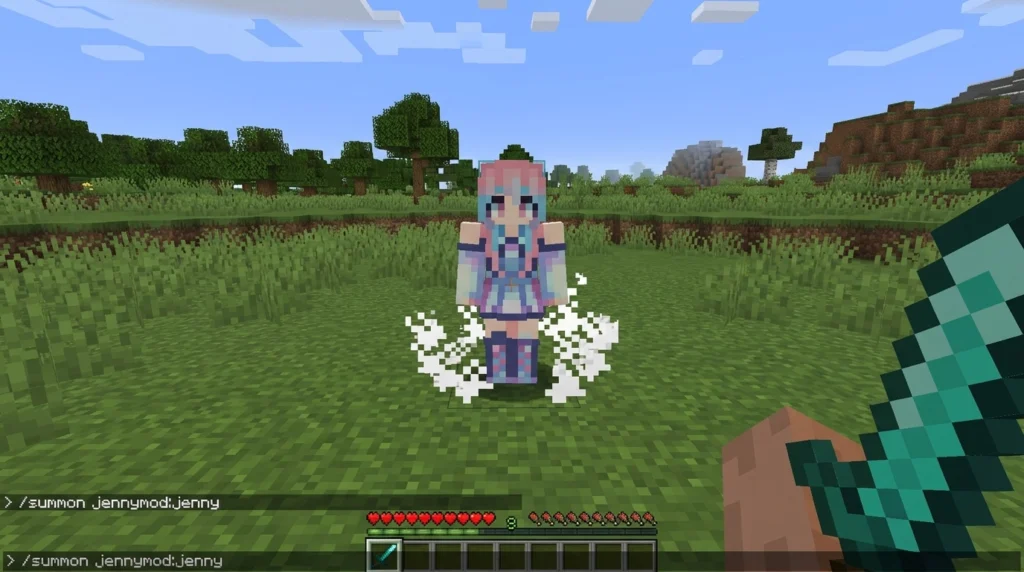
Movement and Behavior Commands
These control what Jenny does once she is in your world.
- /jenny follow — Jenny follows your character wherever you go
- /jenny stay — Jenny stops and holds her position until told otherwise
- /jenny sit — same as stay, alternate syntax used in some mod versions
- /jenny come — teleports Jenny directly to you (useful when she gets stuck on terrain)
- /jenny sleep — triggers Jenny’s sleep animation
- /jenny dance — starts the dance animation (note: there is a cooldown between uses — if it seems broken, just wait a moment and try again)
If Jenny is ignoring your /jenny follow command, she has likely hit a pathfinding block: a wall, a gap, or terrain she cannot navigate around. Use /jenny come first to bring her to your location, then issue /jenny follow from open ground.
Location and Navigation Commands
- /locate jennymod:jenny_house — returns the coordinates of Jenny’s house in your world (Java only, does not work in MCPE)
- /tp <x> <y> <z> — teleport yourself to specific coordinates
- /tp jennymod:jenny <playername> — teleport Jenny to a specific player’s location
The /locate command is genuinely useful on large seeds where you spawned far from Jenny’s generated house. It saves a lot of walking.
Item Commands
- /give @p jennymod:horny_potion — adds the custom interaction potion to your inventory
- /jenny gift <item> — give Jenny an item to raise her happiness stat
In Creative Mode, interactions trigger with a right-click, no items needed. In Survival Mode, certain interactions require you to offer diamonds or gold first. The potion triggers specific Jenny mod animations that you cannot access any other way.
Stats, Mood, and Debug Commands
- /jenny info — shows Jenny’s current happiness level and stats
- /jenny mood happy — sets Jenny to a cheerful state with upbeat animations and gestures
- /jenny mood explore — Jenny moves through the world independently, looking around
- /jenny mood idle — Jenny stands still with neutral behavior
- /jenny help — opens an in-game list of all available commands with short descriptions
- /jenny reset — resets Jenny’s state completely
Use /jenny reset only when something is genuinely broken and other commands are not helping. It wipes her current state. It is a last resort, not a routine fix.
How to Enter Commands in Jenny Mod Minecraft
Short and simple. Here are the steps.
- Press T on your keyboard (PC) or tap the chat icon on mobile
- Type your command exactly: lowercase letters, correct namespace (jennymod:)
- Press Enter
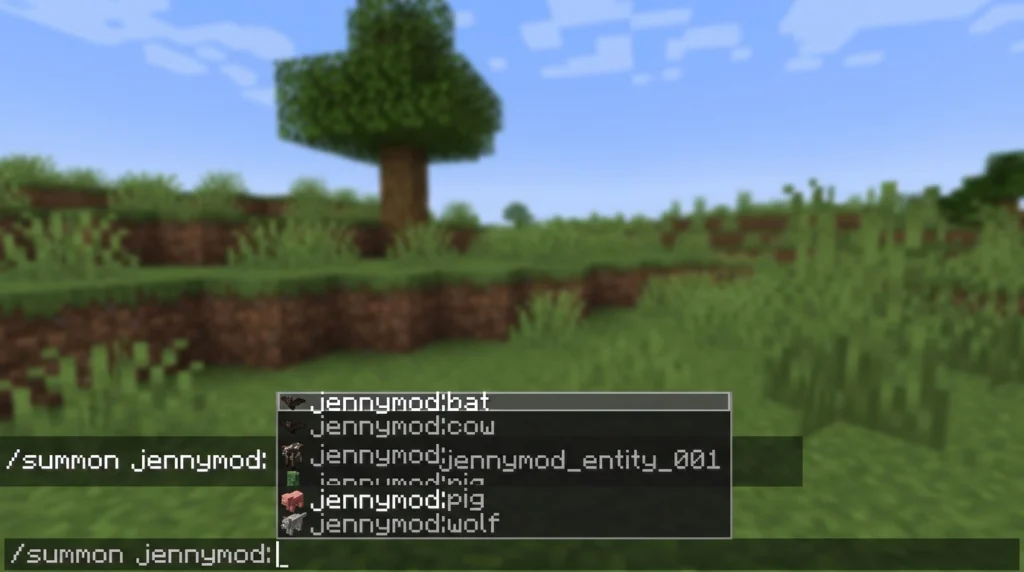
- In Java, press Tab to autocomplete entity names after typing the namespace
That Tab autocomplete tip is genuinely helpful. If you type /summon jennymod: and press Tab, Minecraft will show you every valid entity registered by the mod. It is the fastest way to confirm the mod is loaded correctly. If nothing appears, the mod is not active.
Get step-by-step instructions on setting up your world in How to Use Jenny Mod in Minecraft.
Jenny Mod Commands for Bedrock and MCPE
This section is for Jenny Mod commands Bedrock and Jenny Mod MCPE commands specifically.
MCPE does not run Forge. That is the core limitation. Most of the /jenny follow, /jenny dance, and behavior commands are Forge-only features. What does work on MCPE:
- /summon with the correct entity names from your behavior pack
- /tp for teleportation
- /give for items supported by the pack
- /locate in some behavior pack configurations
What does not work on MCPE without Forge:
- All /jenny behavior commands
- Full animation triggers
- Stat and mood commands
Setting up commands on MCPE:
- Download the Jenny behavior pack compatible with your Minecraft PE version
- Open Minecraft PE and go to Settings > Storage > Import
- Import the behavior pack file
- Create a new world or load an existing one, go to Behavior Packs, and activate it
- Under Game settings, turn Cheats ON
- Open chat and try /summon addon:jenny or the entity name specified in the pack
The entity namespace in MCPE packs is often addon:jenny rather than jennymod:jenny, so check the pack’s included documentation before assuming a command is broken.
Stop wandering aimlessly and learn the exact biomes and structures in How to Find Jenny in Jenny Mod.
Jenny Mod Characters You Can Summon
The mod adds several characters, each with a different default spawn biome. You can summon any of them with commands rather than searching their natural locations.
Character | Summon Command | Natural Spawn | Role |
Jenny | /summon jennymod:jenny | Plains | Main companion |
Ellie | /summon jennymod:ellie | Dark Wood Forest | Resource helper |
Bia | /summon jennymod:bia | Birch Wood Forest | Companion |
Bee | /summon jennymod:bee | Normal Forest | Farming and pollination |
Slime Girl | /summon jennymod:slime | Exploration (random) | Splits into smaller slimes |
Genie | /summon jennymod:genie | Desert Temples and Dungeons | Wish mechanic |
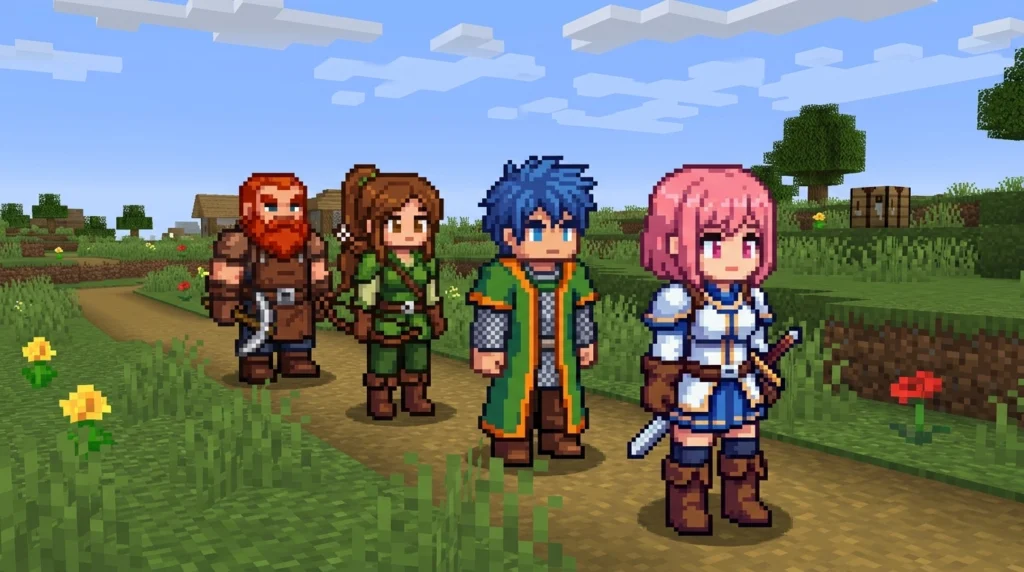
Each Jenny mod character has different interaction options. Jenny and Ellie have the most developed command sets. Genie interactions work differently from the others; you find her lamp structure and interact with it rather than commanding her directly.
For players who want to explore Jenny mod gameplay fully without spending time searching biomes, just summon who you need and get straight to the interactions.
Understand the core mechanics and interactions by reading our overview of Jenny Mod Gameplay.
Animations and What Commands Trigger Them
Jenny Mod ships with a set of custom animations that make the mod worth using. Some triggers are automatically generated from interactions. Others need a specific command.
Commands that trigger Jenny mod animations:
- /jenny dance — full dance animation sequence (cooldown applies between activations)
- /jenny sleep — lying down / sleeping pose
- /jenny mood happy — cheerful walking animations and positive gesture loops
- /jenny mood explore — wandering animation where Jenny actively moves and looks around
Interaction-based animations (triggered by right-click or item exchange, not commands):
- Gift animations when you use /jenny gift or offer diamonds in Survival
- Hug and greeting animations on first right-click in Creative Mode
A common frustration: players use /jenny dance once, it works, they try again immediately, and nothing happens. The dance animation has a built-in cooldown. The mod is not broken. Just wait 20 to 30 seconds, and it will trigger again.
For players who create Jenny mod gameplay content or screenshots, the mood commands give you reliable control over what Jenny is doing at any given moment. Pair /jenny mood happy with /jenny stay to keep her posed in a specific location.
Check out screenshots of the various structures and NPCs in the Jenny Mod Images gallery.
Why Jenny Mod Commands Are Not Working
Most broken command situations come down to one of five causes.
1. Mod not loaded correctly
The .jar file needs to be inside .minecraft/mods/, not in a subfolder, not in the main .minecraft directory. Run Forge once with the mod installed and check the console for load errors. If the mod name does not appear in the loaded mods list, it did not load.
2. Cheats are off
Cheats must be on even for commands that do not feel like cheats. On Java, open the world to LAN and enable Allow Cheats. On MCPE, go to Settings > Game and flip the Cheats toggle. This applies to existing worlds, too.
3. Wrong command syntax
The most common mistake is typing /summon jenny instead of /summon jennymod:jenny. The jennymod: prefix is required. Without it, Minecraft looks for a vanilla entity named “Jenny,” which does not exist.
4. Forge and Minecraft version mismatch
Jenny Mod built for 1.12.2 will not run on Minecraft 1.20.1. Forge versions are not interchangeable across major Minecraft updates. Download Forge specifically for the Minecraft version you are running, then download the mod built for that same version.
5. Mod conflicts
Other entity-adding mods can interfere with Jenny Mod’s custom entity registration. If you recently added another mod and commands stopped working, test with only the Jenny Mod active. Remove other mods one at a time to find the conflict.
Quick fix for "Jenny ignores /jenny follow"
Use /jenny come to teleport her to you, move to an open flat area, then issue /jenny follow again. She was most likely stuck on geometry.
Jenny Mod Models and Skins: What Commands Can Change
Commands do not directly swap Jenny’s models and skins, but some affect her visible state.
- /jenny mood <state> changes animation behavior and, depending on the version, can affect visible poses
- The rename function (triggered through the interaction menu, not a command) changes Jenny’s displayed name; only stats and behavior remain identical
- Custom model packs for Jenny Mod are installed as separate resource packs and apply globally, not per command
For players who want to add custom characters to their world, the mod’s resource pack system allows for community-made Jenny mod models and skins that replace or extend the default character appearances. These load at world start and are not command-controlled.
How to Find Jenny Without Commands
Commands are the fastest route. But Jenny also spawns naturally if you know where to look. This matters most on MCPE, where not all commands work.
- Jenny generates in Plains biomes: flat open land with grass and occasional trees
- Ellie spawns in Dark Forest biomes: the dark oak areas with a roofed canopy
- Bia is found in Birch Forest biomes
- Bee character spawns in regular Forest biomes
- Genie is found inside Desert Temples and Dungeons
On Java, the fastest non-command method is still to use /locate jennymod:jenny_house. This tells you the exact coordinates of Jenny’s generated house structure without you having to wander. It is much faster than exploring Plains biomes manually.
If you have already met Jenny and want to know how to find Jenny in Jenny Mod again after she wandered off, use /jenny come. It brings her straight to you regardless of where she ended up.
Jenny Mod and CurseForge: What You Need to Know
Jenny Mod is not listed on the official CurseForge platform. The mod’s content means it does not meet the platform’s standard publishing criteria. This matters for Jenny Mod CurseForge searches specifically.
What this means for you:
- You cannot install Jenny Mod through the standard CurseForge app or launcher mod manager
- Downloads come from dedicated Jenny Mod Minecraft sites; make sure you are getting the version that matches your Minecraft and Forge version
- The most stable and widely supported build targets Minecraft 1.12.2
- A version mismatch between the mod and your Minecraft install is the single most common cause of broken commands
If commands are not working and your install looks correct, a version mismatch is the first thing to check. The .jar filename usually includes the Minecraft version it was built for.
Personalize your experience by exploring the options for Jenny Mod Custom Models and Skins.
Frequently Asked Questions
Do Jenny Mod commands work in multiplayer?
The mod is built for single-player. For commands to work on a server, the server operator needs to install the mod server-side. Most public servers do not run it.
Can I bind a Jenny mod command to a hotkey?
Not within the mod itself. Some players use external Minecraft macro tools to assign commands to keys, but that requires software outside the mod.
Why does /jenny stay leave her vulnerable in Survival Mode?
When Jenny holds a position, she will not move or defend herself. Hostile mobs that reach her can interact with her depending on difficulty settings.
Does renaming Jenny through the interaction menu affect her stats?
No. The display name changes, but her happiness level, behavior patterns, and interaction availability stay exactly the same.
Why is Jenny's happiness not going up after I give her items?
There is a happiness cap per time cycle. You cannot stack unlimited gifts in one session. The cap resets over time. Check /jenny info to see her current happiness level and whether she is at the ceiling.
Can I use all Jenny mod commands on MCPE?
No. Behavior commands like /jenny follow, /jenny dance, and /jenny mood are Forge-only and do not work on MCPE.
Is Jenny Mod free?
Yes. The mod file is free to download. It is not sold through any storefront.
Does Jenny Mod work on iOS or console?
No. The full version with all commands requires Minecraft Java Edition on PC with Forge. MCPE has a limited behavior pack version with reduced command support. Console editions of Minecraft do not support this mod at all.